AI Interviewing that shows you how candidates actually think
Run structured AI interviews at any scale. Every candidate scored on the same rubric, no interviewer variance, no scheduling bottlenecks. Share a link, embed in your careers page, or bulk-send to hundreds.
80%
Reduction in screening time
3x
More candidates assessed per cycle
15 min
Setup to first live interview
Set up in 15 minutes
Create your interview
Open Scenario Studio. Describe the role ('Create a PM interview for a marketplace startup focusing on prioritization'). Configure auto-analysis and recording.
Distribute to candidates
Share a direct link, embed it in your careers page via iframe, add passcode protection, or use a Google Sheets template to bulk-send pre-filled links.
Analyze results
The Sessions tab shows every submission with timestamps and scores. Download CSV, read email reports, or compare across candidates on the Analytics page.
The right tools for every role you hire
Configure the interview experience to match the skills that actually matter for each position.
Notepad
Candidates take live notes and structure their thinking during case studies or estimation problems.
Whiteboard
Candidates draw architecture diagrams and explain their design decisions in real time on a shared whiteboard.
Cards
Present case documents, data tables, or prompts as cards the candidate interacts with during the interview.
Roleplay Simulation
Give candidates a live prospect simulation and see how they open, handle objections, and close before their first day.
Auto-scoring
Concept-based evaluation against your custom rubric. Consistent and fair across all communication styles.
Bulk Distribution
Generate pre-filled links from Google Sheets. Candidates click, complete, and submit. No account needed.
Three steps to structured hiring at scale
Browse pre-built interview scenarios
Choose from HR screening calls, PM case studies, system design interviews, and sales roleplays. Each scenario features a realistic AI interviewer with personality and structured scoring criteria.
Explore Scenario Library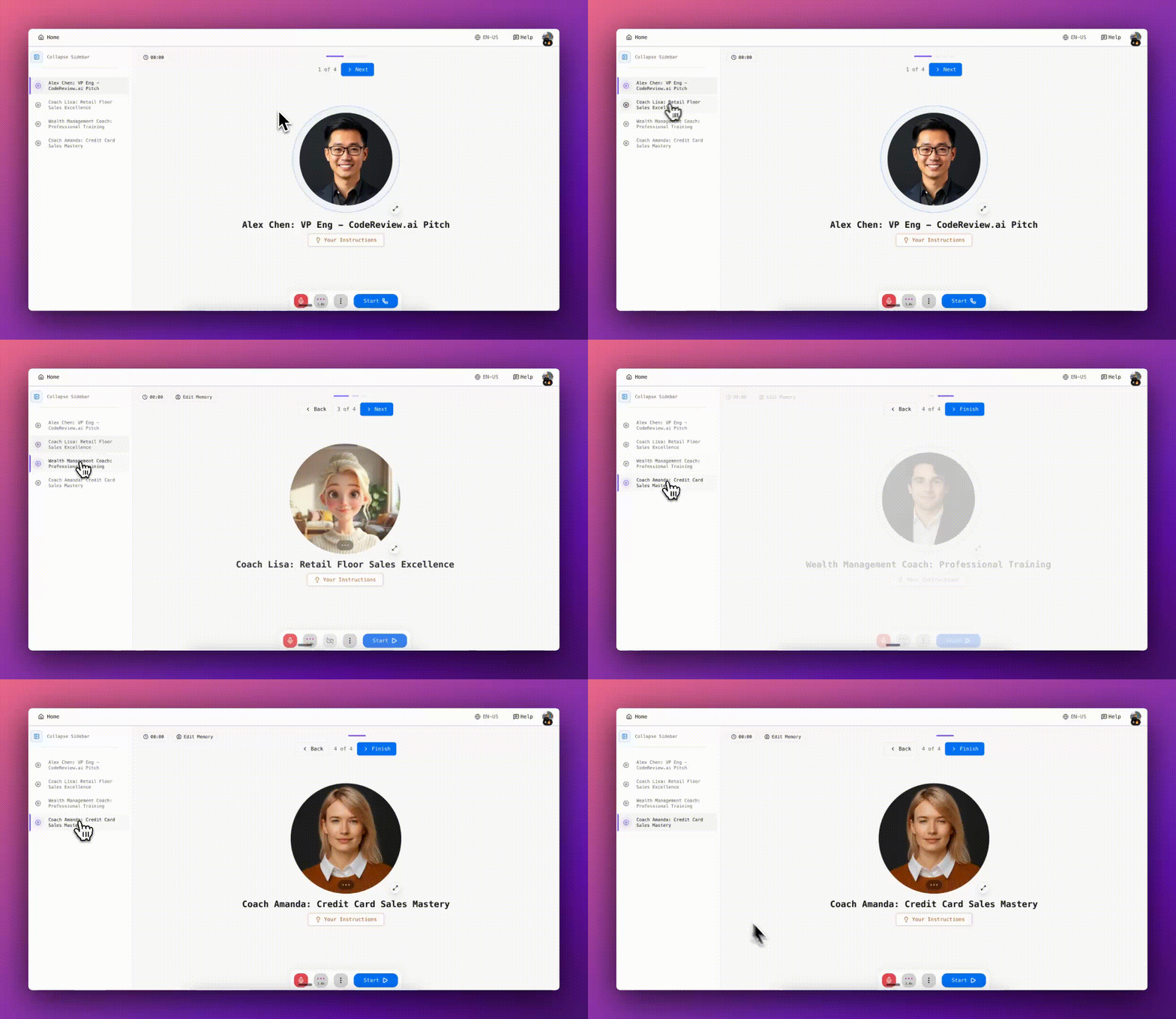
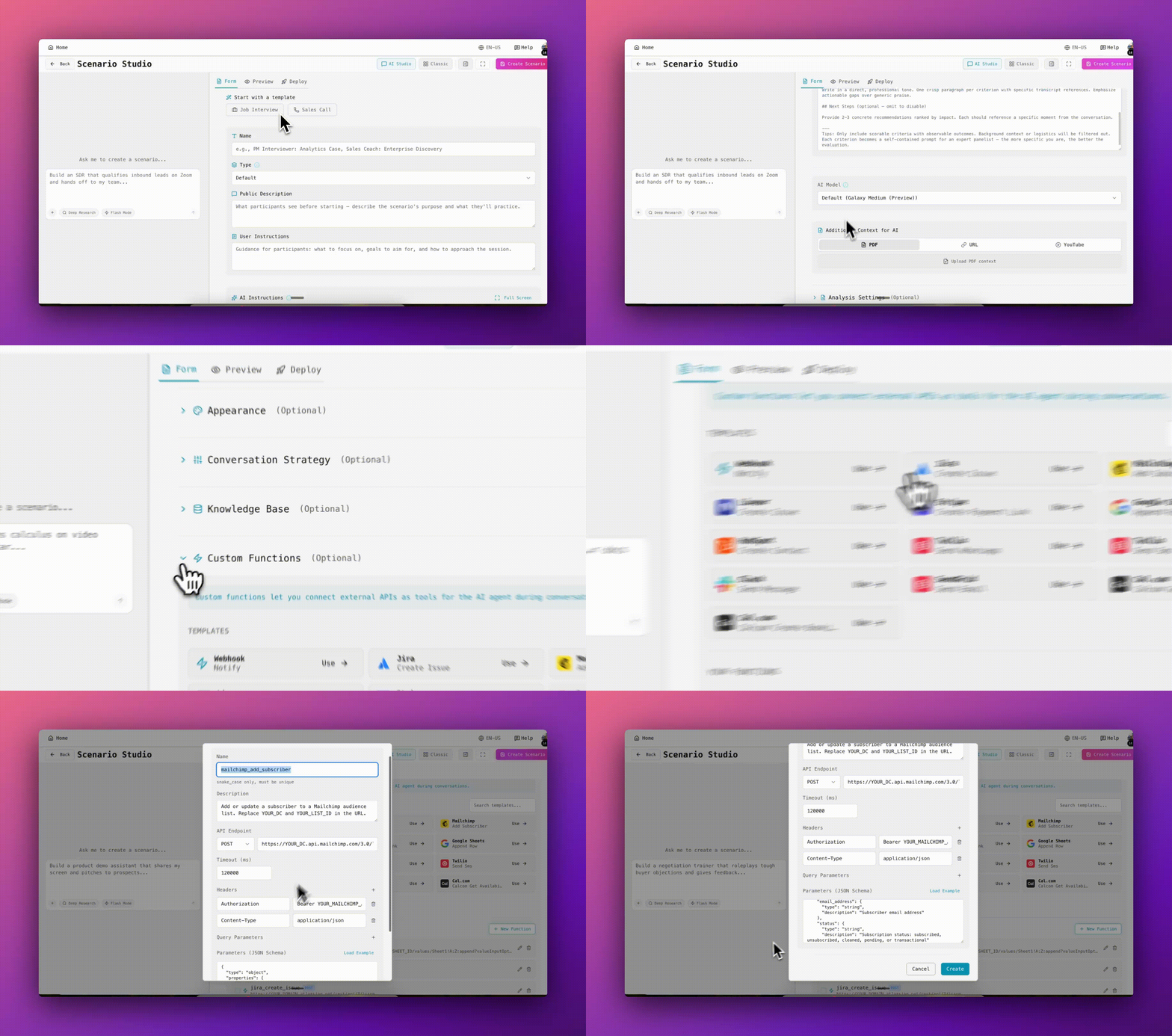
Build your interview in Scenario Studio
Describe the role in plain language, configure auto-analysis and recording, add your rubric, and deploy. Share via link, embed in your careers page via iframe, or bulk-send pre-filled links to hundreds of candidates.
Track and compare candidates
Every session is scored and logged in your dashboard. See candidate scores side by side, drill into individual sessions, and export everything as CSV for your ATS. Email reports are sent per submission.
View Analytics Dashboard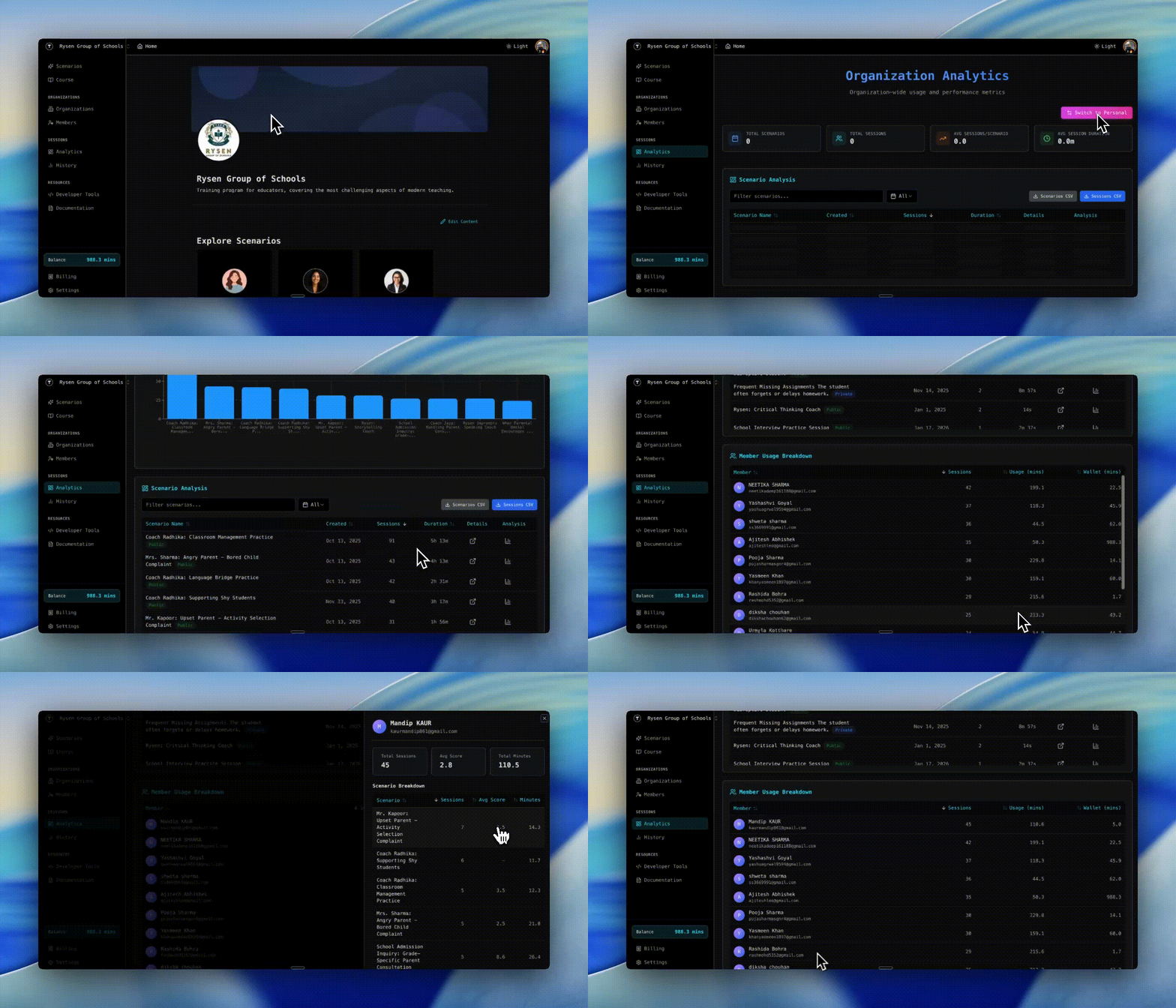
Try a live AI interview right now
This agent runs in your browser. No sign-in required. Click the microphone and start the interview.
HR Screening Call
Practice a structured HR screening interview with an AI interviewer
Pre-Filled Interview Link Generator
Generate unique, pre-filled interview links for each candidate.
Paste the embed URL from your scenario. Find it in Scenario Studio under "Share".
Embed snippet (iframe)
Don't just screen skill, screen coachability
Candidates receive feedback after their first attempt and can re-attempt if you allow it. The ones who read the feedback and adjust their approach in the second take are the ones who grow fast on the job.
The ones who ignore it and repeat the same mistakes? You found that out before you made a hire.
"As someone who regularly conducts interviews, creating custom scenarios in Tough Tongue AI has transformed how we prepare candidates. The practice sessions feel incredibly natural."
Anmol Sinha
Frequently asked questions
Can candidates complete the interview on mobile?
Yes. Tough Tongue AI runs in any modern browser, no app install required. Candidates can complete their AI interview from a phone, tablet, or desktop.
Is scoring keyword-based or concept-based?
It's concept-based. The AI evaluates whether the candidate demonstrated the underlying competency, not whether they used specific words. This makes scoring consistent and fair across communication styles.
Can I run this without asking candidates to create an account?
Yes. You can share a direct link that candidates open in a browser, optionally protected by a passcode. No sign-up required. You can also use multi-use links for bulk distribution or pre-filled links generated from a Google Sheets template.
What roles can I assess with this?
Any role that requires communication, judgment, or structured thinking. Use Notepad for PM and analyst interviews, Whiteboard for system design or case studies, and Cards to present case documents. The AI adapts to whatever format you configure.
How do I analyze results across many candidates?
The Sessions tab shows timestamps and scores for every candidate. You'll also receive email reports per submission. Export all sessions as CSV for deeper analysis or integration with your ATS.
How long does it take to set up an interview?
About 15 minutes. Open Scenario Studio, describe the role you're hiring for, configure auto-analysis and recording, then share the link. The AI handles everything from there.
Hire smarter, starting today
Set up your first AI interview in 15 minutes. No card required.